Short answer: Gen Z can learn almost any skill free on YouTube by picking structured, beginner-friendly creators (think freeCodeCamp, CrashCourse, Andrew Huang), watching playlists like a curriculum, and pairing every tutorial with active practice. Set SMART goals, use captions and playback speed, and supplement with Coursera, Reddit or Discord communities.
Knowledge is a click away. For Gen Z, that’s not a slogan, it’s a daily reality, and YouTube sits right at the centre of it. Most people think of the platform as a place for music videos and chaotic vlogs, yet quietly it has become one of the most powerful free education tools on the planet. Graphic design, code, digital marketing, even self-taught guitar, you’ll find a creator covering it.
But here’s the catch. How do you actually learn on YouTube without drowning in a sea of 12-minute tutorials and never finishing one? Let’s walk through it, step by step.
Why is Gen Z perfectly positioned for YouTube learning?
Gen Z isn’t only tech-savvy. They’re digitally native. Raised on smartphones, social platforms and streaming, this generation moves through digital ecosystems the way older generations moved through libraries. A 10-minute YouTube tutorial often beats an hour-long lecture, not because attention spans are shorter, but because the format is built for visual, fast-paced learners.
Platforms like YouTube cater to that wiring. Video, audio, captions, comment sections, all stitched together into one space. It’s self-paced and interest-driven, which is exactly how Gen Z prefers to learn.
Step 1: How do you discover the right channels?
Start with beginner-friendly content
If you’re brand new to a skill, video editing or French, say, your first move is straightforward. Search “Beginner [Skill] Tutorial”. Easy. These videos cut complex ideas into digestible pieces.
Best tip? Stick with creators who teach in a structured, step-by-step format. Random one-off tutorials feel useful in the moment, but they won’t give you the foundation you actually need.
Look for credible and consistent creators
Reputation weighs a lot. Hunt for channels with:
- High subscriber counts
- Positive comments and engagement
- Well-organised playlists
Learning to code? freeCodeCamp is a goldmine. Want history or literature? Try CrashCourse. Into music production? Andrew Huang offers deep dives into creativity and sound design that go further than most paid courses.
Explore niche and advanced creators over time
Once the basics click, go deeper. If you started with general digital marketing tutorials, maybe it’s time to focus on just SEO, Facebook ads or email marketing. You’ll find creators who specialise in those slivers, offering richer, more in-depth content than the generalists.
Step 2: How do you turn passive watching into active learning?
Don’t just watch, engage
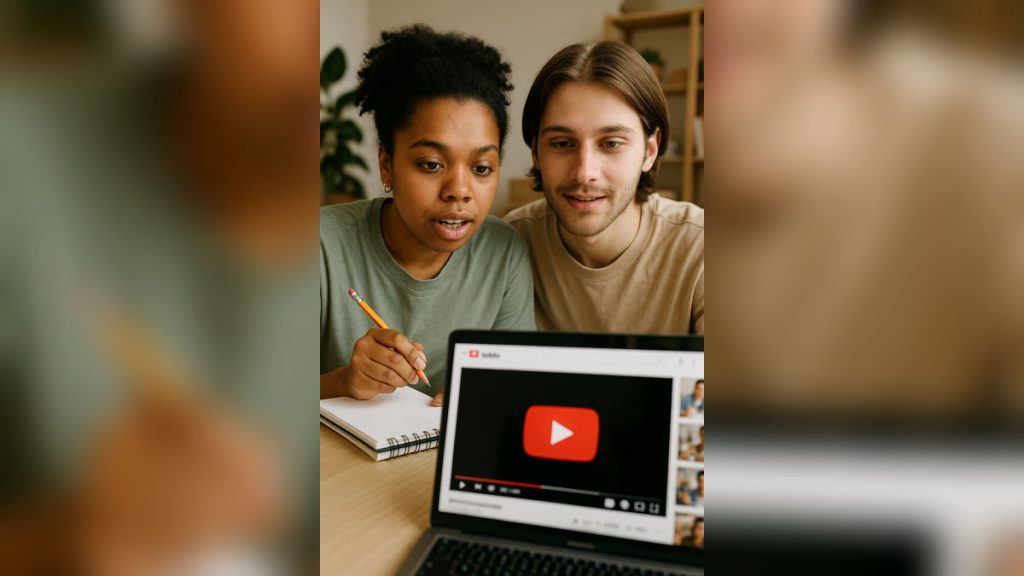
It’s easy to zone out when you’re binge-watching tutorials. Force yourself into active mode instead:
- Take notes as if you were in a classroom.
- Pause and rewind to reinforce tricky concepts.
- Comment questions or insights, you might get responses from both the creator and the community.
When I was teaching myself motion graphics on YouTube, I started keeping a physical sketchbook of effects, keyboard shortcuts, and workflows. Over time, that became my personal reference guide, something far more valuable than just watching without interaction.
Practice is non-negotiable
Learning to code? Write the code yourself, don’t just watch someone else do it. Studying photography? Go out and shoot. Want to draw anime? Sketch while the tutorial plays.
As the saying goes, “You don’t learn to swim by watching others splash.”
Use self-assessment and peer feedback
After practising, reflect. What did you struggle with? What felt easy? You can also:
- Take online quizzes
- Join skill-specific forums like Reddit, Discord, or Stack Overflow
- Ask for feedback on your progress in YouTube comments or relevant Facebook groups
Step 3: How do you optimise the YouTube experience?
Use playlists and course-style structures
A lot of creators offer full playlists that work like online courses. These can include:
- Step-by-step tutorials
- Downloadable resources
- Progressively challenging projects
Save these playlists to your library and treat them like a curriculum. It’s free, flexible, and surprisingly comprehensive.
Take advantage of built-in tools
YouTube’s features can really push your learning efficiency:
- Captions and subtitles help with clarity, especially if English isn’t your first language.
- Transcripts let you scan content quickly.
- Playback speed controls let you slow down tricky parts or speed up familiar ones.
- Search filters help you find the most relevant and recent tutorials based on duration, popularity, or upload date.
Engage with the learning community
Learning doesn’t have to be lonely. Dive into:
- Comment discussions for insights or alternate approaches
- Live streams or premieres where creators answer questions in real-time
- Study groups on social platforms to stay accountable and inspired
Step 4: How do you set goals and track progress?
Make your learning journey intentional
Online learning is flexible, sure. That doesn’t mean it should be aimless. Set SMART goals:
- Specific: Learn to build a personal website
- Measurable: Complete five coding tutorials this week
- Achievable: Dedicate 30 minutes a day
- Relevant: Skill aligns with your freelance ambitions
- Time-bound: Launch your site within three months
Track progress in a journal, an Excel sheet, or a Notion board. Celebrate small wins. Each one nudges you closer to mastery.
What should you use to supplement YouTube learning?
YouTube is incredible, but it’s not the only free learning resource. Round out your knowledge with:
- Blogs and eBooks by professionals
- Forums like Quora or Reddit
- Free online platforms like Coursera, Skillshare (with free trials), and edX
Use these to reinforce what you’ve learned, or to explore related areas. This blended approach sharpens understanding and gives you multiple perspectives on the same topic.
Real talk: how long does learning a skill actually take?
Let’s be honest, just because something is free doesn’t mean it’s easy. YouTube hands you the tools. Discipline, curiosity and consistency are what turn those tools into actual results.
I once tried learning Spanish purely through YouTube. For months, I barely made progress. Then I changed my approach, scheduled daily practice, watched only beginner playlists, spoke out loud during lessons, and joined a Spanish Discord group. Within three months, I could hold basic conversations.
Your journey might look different. The principles, though, are the same.
Final thoughts: your free classroom is already open
Gen Z is rewriting the rules of education. YouTube, in the hands of a curious and committed learner, becomes more than a video platform. It’s a personal university, a creative lab, a career launchpad. All at once.
“Learning is not attained by chance, it must be sought for with ardor and attended to with diligence.” — Abigail Adams
So go ahead. Type that first search. Find your channels. Set your goals. And start building your skill, your future, one video at a time.
FAQs about learning any skill free on YouTube
Can you really learn a professional skill for free on YouTube?
Yes. With structured playlists from creators like freeCodeCamp, CrashCourse and Andrew Huang, you can pick up coding, history, music production and more without paying a rupee. The skill becomes professional-grade only when you pair tutorials with consistent practice and feedback from forums like Reddit, Discord or Stack Overflow.
Which YouTube channels are best for Gen Z self-learners?
For coding, freeCodeCamp is widely treated as a goldmine. CrashCourse covers history and literature in a digestible format. Andrew Huang is a strong pick for music production and sound design. Beyond these, search “Beginner [Skill] Tutorial” and prioritise creators with high subscriber counts and well-organised playlists.
How do you stop binge-watching and actually learn from YouTube?
Treat tutorials like a classroom. Take notes, pause and rewind tricky sections, and write or build alongside the video instead of just watching. Comment questions to engage the community, and reflect after every session on what felt hard versus easy.
How do you set learning goals for YouTube self-study?
Use the SMART framework. Make goals Specific (build a personal website), Measurable (finish five tutorials this week), Achievable (30 minutes a day), Relevant (tied to a freelance ambition), and Time-bound (launch within three months). Track progress in a journal, Excel sheet or Notion board.
Should you only use YouTube to learn a skill?
No. YouTube is the anchor, not the whole library. Supplement videos with blogs, eBooks, Quora and Reddit threads, and free platforms like Coursera, Skillshare trials and edX. This blended approach gives you multiple perspectives and reinforces what you picked up from videos.