
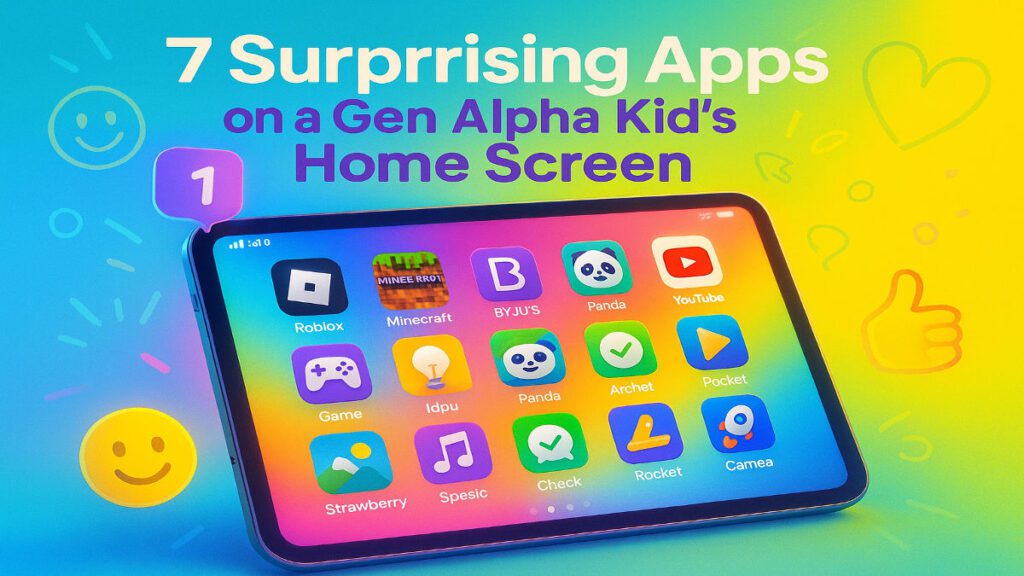
Short answer: A typical Gen Alpha home screen in 2025 mixes games like Roblox, Minecraft, Fortnite, Brawl Stars and Free Fire Max with learning apps such as BYJU’S, Khan Academy Kids and Duolingo, creative tools like FlipaClip, Procreate Pocket and ScratchJr, kid-safe chat apps like Messenger Kids, and streaming on YouTube Kids and Netflix Kids. An India Today article notes over 70% of Gen Alpha users change their home screen weekly.
Peek into a Gen Alpha kid’s tablet in 2025 and you step into a vibrant portal of play, productivity and personality. The home screen is not only a launchpad. It is a digital reflection of who they are, what they love and how they learn.
These digital natives grew up hyper-connected. It shows in the way they curate their screens: visually bold, personalised, fast-moving, and filled with apps that mix fun and function.
So what does a typical Gen Alpha home screen look like in 2025?
What do Gen Alpha wallpapers and widgets look like?
The first thing you notice is not the apps. It is the backdrop.
Gen Alpha kids often pick wallpapers that reflect their latest fandom. Think Roblox avatars in superhero poses, Minecraft biomes they built from scratch, or a family pet in a silly hat. Some rotate wallpapers daily using built-in AI features that suggest themes based on mood, time of day or recent activity.
Widgets come next. Mini windows show weather updates, a countdown to a friend’s birthday, or a real-time game progress tracker.
“My nephew has a Fortnite widget showing his battle pass level—he checks it more than he checks the time,” laughs Arvind, a father of two in Pune.
Which games sit on a Gen Alpha home screen?
The top rows are dominated by games, but these are not only time-killers. Many are spaces for creativity, collaboration and coding.
- Roblox: A social universe where kids create, play and connect.
- Minecraft: A sandbox where ideas come to life block by block.
- Fortnite: Part game, part digital hangout, part fashion runway.
- Brawl Stars and Free Fire Max: Fast-paced, competitive and wildly popular.
These games often double as social platforms, letting kids collaborate, compete and create in shared digital spaces.
What learning tools disguise themselves as fun?
Tucked next to the games, or hidden in folders labelled “School” or “Homework,” sit educational and skill-building apps.
Apps like BYJU’S, Khan Academy Kids and Duolingo offer gamified lessons. Kids learn through streaks, levels and rewards.
Creative tools such as FlipaClip (animation), Procreate Pocket (digital art) and ScratchJr (coding) are as popular as games. They act as digital sandboxes for curiosity.
A 10-year-old I know used FlipaClip to create an animated story about her dog rescuing lost socks. It was funny, well-drawn, and entirely self-directed.
How do Gen Alpha kids chat safely?
Their older siblings may use Instagram or Snapchat. Gen Alpha communicates through controlled, age-appropriate platforms.
Many tablets have messaging apps approved by parents, allowing safe interactions with family and close friends. Video call apps, sometimes voice-controlled, help them connect with cousins, classmates or grandparents.
Kid-centric social apps like Messenger Kids or in-game chat systems use tight safety settings, balancing freedom with protection.
What do Gen Alpha kids stream?
Cable TV apps are missing. Gen Alpha’s entertainment lives on YouTube Kids, Netflix Kids and newer family-friendly streaming platforms.
They follow creators who explain science with slime, storytellers who animate everyday life, and music channels featuring K-pop stars or Indian pop idols. Spotify-style music apps appear too, with curated playlists mixing global hits and local indie tunes.
How do they organise so many apps?
Despite the chaos, Gen Alpha thrives on organisation on their own terms.
Their screens often include folders like:
- 🎮 Games
- 📚 School Stuff
- 🎨 Creative
- 🎵 Music & Shows
They are not fans of long scrolls. Everything sits a few taps away, arranged for speed. Waiting, for them, feels ancient.
Why does a Gen Alpha home screen keep changing?
The defining trait of a Gen Alpha home screen is fluidity. Apps come and go based on moods, trends, school projects or peer influence. What was pinned yesterday may be buried in a folder today.
A recent India Today article noted that over 70% of Gen Alpha users modify their home screen weekly. That shows how dynamic and responsive their digital worlds have become.
It’s not just a screen. It’s a story.
To an adult, a Gen Alpha home screen may look like a mishmash of icons and colours. To the child, it is a curated reflection of passions, goals and identity.
These screens reveal what excites them, how they learn and how they connect. In 2025, they are doing it with tools we could not have imagined a decade ago.
So next time you see a child glued to their tablet, pause before you worry. Ask what they are working on. It could be a coding project, a digital painting or a cartoon they wrote themselves.
For Gen Alpha, the home screen is not only tech. It is self-expression.
FAQs about Gen Alpha home screens
What are the most common apps on a Gen Alpha home screen?
Games like Roblox, Minecraft, Fortnite, Brawl Stars and Free Fire Max sit alongside learning apps such as BYJU’S, Khan Academy Kids and Duolingo, plus creative tools like FlipaClip, Procreate Pocket and ScratchJr.
Which streaming apps do Gen Alpha kids actually use?
YouTube Kids and Netflix Kids dominate, together with newer family-friendly streaming platforms. Music is handled by Spotify-style apps with playlists of global hits, K-pop and Indian pop.
How do Gen Alpha kids chat safely online?
They use parent-approved messaging apps, kid-focused tools like Messenger Kids, and in-game chat systems with tight safety settings. Voice-controlled video calls help them reach cousins, classmates and grandparents.
How often do Gen Alpha kids change their home screen?
Very often. A recent India Today article noted that over 70% of Gen Alpha users modify their home screen weekly, reshuffling apps, widgets and wallpapers based on mood, trends or school projects.
Is it safe to let a Gen Alpha kid customise their own tablet?
Yes, with boundaries. Parents can lock down app stores, approve messaging contacts and use kid-safe platforms. Letting children arrange folders and wallpapers supports self-expression without compromising safety.